
A familiar deadline problem lands late in the sprint. A developer has a branch full of temporary logging, half-tested fixes, an abandoned refactor, and one configuration change that matters. The code still runs locally, but nobody can say with confidence which edits should survive and which should disappear.
That isn’t a minor housekeeping issue. In a business system, messy local state slows reviews, creates bad commits, and leaks avoidable risk into release work. It’s worse in SaaS platforms, AI integrations, and regulated environments where teams need a clear record of what changed, why it changed, and what never should have left a laptop.
Git gives you several ways to undo local work. The problem is that they don’t all solve the same thing. Some commands clean the working directory. Some only touch the staging area. Some rewrite local history. A few are safe in collaborative branches, and a few absolutely are not.
That decision-making matters because Git is part of daily engineering work for nearly every modern software team. 95.7% of developers use Git daily, according to the 2023 Stack Overflow Developer Survey, and a 2022 GitHub Octoverse report noted that repositories in North America averaged 28% of commits involving undo actions like resets, highlighting how central these operations are in delivery workflows (GeeksforGeeks summary and cited references).
A strong team doesn’t treat reverting as panic recovery. It treats it as routine control. Developers should be able to experiment freely, discard safely, and keep history clean before code reaches shared branches. That’s the practical core of git how to revert local changes. Use the least destructive command that solves the exact problem in front of you.
Introduction The Inevitable Mess of Local Development
It often starts with a small, reasonable change.
An engineer adds trace logging to chase an intermittent queue failure. Then they test a different retry path. Then they adjust a prompt template tied to an LLM call. Then they edit a local config to get an integration test past a dependency mismatch. A few hours later, the branch holds real progress, throwaway experiments, and edits that should stay on one machine.
That is ordinary development. The risk comes from misreading what kind of local change you have.
In practice, teams lose time when they treat every cleanup problem as the same problem. A file modified in the working tree calls for one command. A file staged by mistake calls for another. A local commit that has not been pushed yet raises a different question entirely: keep the changes, or remove them with the commit.
Why local disorder becomes a business problem
In a personal project, messy local state is usually a nuisance. In a production codebase, it affects delivery, review quality, and auditability.
Release pressure exposes the problem fast. A developer preparing a hotfix cannot afford to guess whether restore, reset, or a history rewrite is the right move. A bad choice can discard work that took hours to produce, or leave behind partial edits that slip into the next commit. On shared initiatives, that kind of confusion turns into branch churn, noisy reviews, and avoidable delays.
Security and compliance concerns make it worse. Temporary credentials, debug flags, generated artefacts, and test-only edits have a habit of getting staged when someone rushes through git add .. Once that happens, cleanup gets harder and the chance of a bad commit goes up.
Three risks show up repeatedly:
- Delivery risk: release work slows down because engineers cannot return to a known-good local state quickly.
- Integrity risk: temporary or unreviewed edits get committed and later merged.
- Collaboration risk: developers use destructive commands in the wrong scope and create branch conflicts or lose recoverable work.
Practical rule: choose the least destructive command that solves the exact state in front of you.
What good teams optimise for
Strong teams do not treat local reversion as a panic move. They treat it as routine control over three separate layers of Git state: working directory, index, and local commit history.
That distinction matters because each layer has a different recovery cost. Undoing an unstaged file change is usually low-risk. Undoing staged work requires care, because you may want to keep the edit while removing it from the next commit. Rewriting local commits is still safe before pushing, but only if the engineer is explicit about whether the file changes should remain in the tree afterward.
A simple decision table keeps teams out of trouble:
| Situation | Primary concern | Safe direction |
|---|---|---|
| File changed but not staged | Remove unwanted edits | Restore working tree |
| File staged by mistake | Separate index from local edits | Unstage first, discard second |
| Commit exists locally but isn’t pushed | Rewrite local history carefully | Reset with an explicit recovery path |
The senior engineering view
The right command depends on where the mistake lives.
If the problem is only in the working directory, avoid history edits. If the problem is in the index, separate staging from file content before deleting anything. If the problem is a local commit, decide up front whether you need to preserve the code for further editing or remove it completely.
That decision process keeps experimentation fast without letting cleanup mistakes turn into project delays or bad history.
Scenario 1 Reverting Unstaged Changes in Your Working Directory
A developer edits app.js to trace a production-only bug, tweaks a local config file to hit a staging service, then realizes none of that work should survive the afternoon. That is the cleanest reversion case in Git, but only if you confirm the changes are unstaged before you discard them.
Unstaged changes live only in the working directory. No commit history has been rewritten. The index still represents the last deliberate state. For business-critical software, that makes this the lowest-risk rollback path, and also the one teams misuse by acting too quickly.
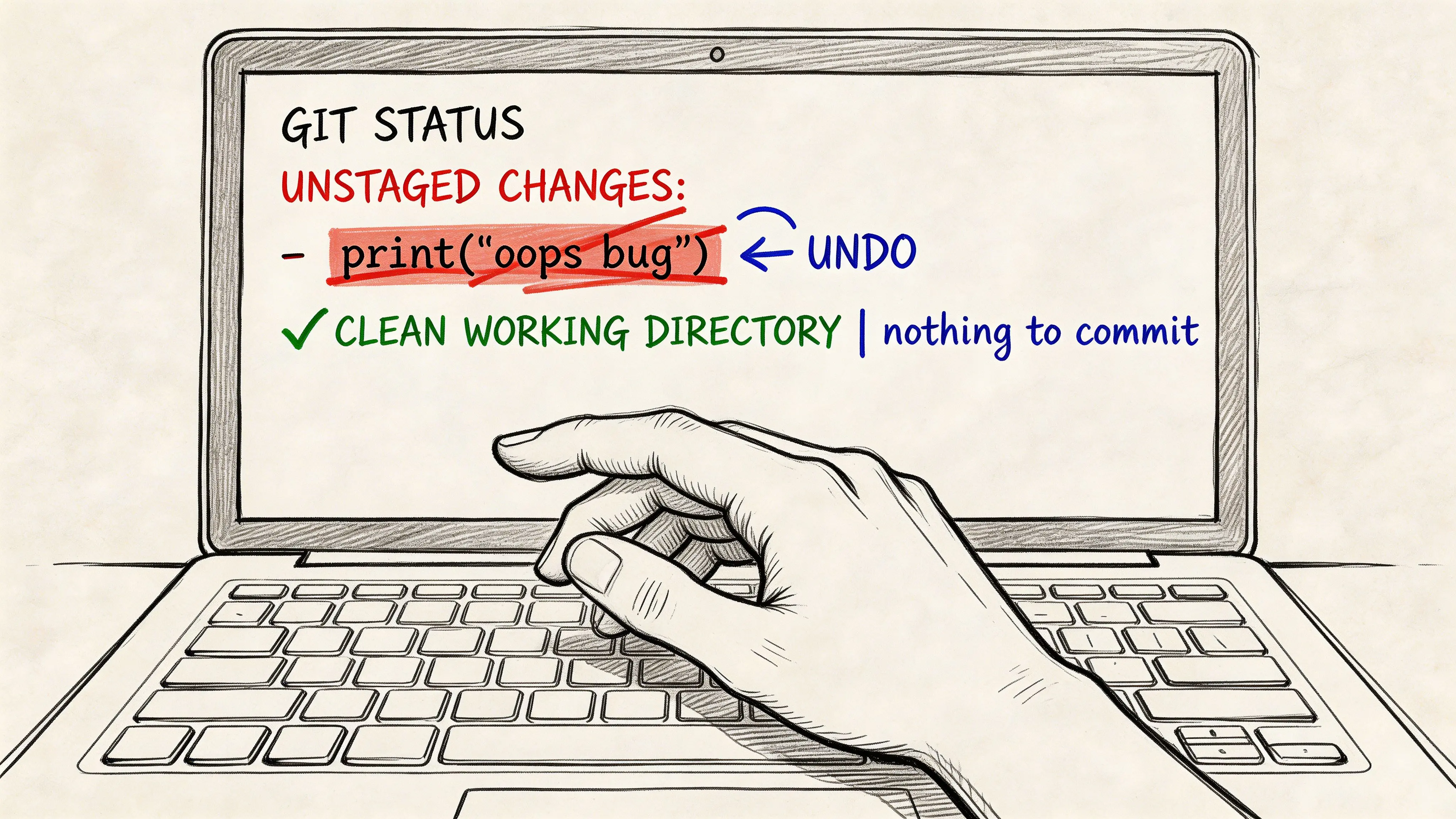
Verify the state before you delete work
Start here:
git statusThis command answers the decision that matters: are the edits only in the working tree, or has someone already staged part of the work?
If the file appears under Changes not staged for commit, you can revert it without touching the index or local history. If it appears under staged changes, stop and use the staged workflow instead. Teams lose useful work when they skip that distinction and fire a discard command from habit.
Use git restore when the goal is clear
For current Git versions, git restore <file> is the safest plain-English command for throwing away unstaged edits in a tracked file.
git restore app.jsGit replaces the working copy with the version currently recorded in the index. That behavior is exactly what you want when a local experiment failed, a debug edit is no longer needed, or a developer changed the wrong file while moving fast.
Examples:
- Remove temporary config edits:
git restore .env.example - Discard debug logging from a controller:
git restore src/controllers/orders.js - Drop all unstaged tracked changes in the repository:
git restore .
git restore . is efficient, but it deserves a team rule. Use it only after you have checked the file list and decided every unstaged modification is disposable. On large branches, one broad command can wipe out a useful fix mixed in with throwaway edits.
Recognize the older syntax, but prefer the clearer one
You will still see older documentation, shell history, and internal runbooks using git checkout, <file>.
git checkout, <file>For example:
git checkout, app.jsThat syntax still works for restoring a tracked file from the index. The problem is not capability. The problem is ambiguity. checkout also switches branches and can affect HEAD state, so it asks engineers to infer intent from context. In mixed-seniority teams, that is an avoidable source of mistakes.
git restore reduces that ambiguity. It says exactly what is happening, which makes code review, pair debugging, and incident response cleaner.
A practical operating pattern for teams
Use a short sequence and do it the same way every time:
- Inspect:
git status - Restore the right scope:
git restore <file>for surgical cleanup, orgit restore .for a confirmed full discard - Verify:
git statusagain
The final check is not ceremony. It confirms that the revert matched the intent and that no staged or untracked files still need attention.
When to pause before restoring
Not every unstaged change should be discarded immediately.
Pause if the file is a local config that may contain environment-specific knowledge, a hand-edited migration, or a partially correct fix you may need later. In those cases, copy the snippet elsewhere, stash selectively, or turn the work into a draft commit on a scratch branch. Fast cleanup is useful. Recoverable cleanup is better.
The same discipline applies outside Git. Engineers who spend a lot of time in terminal editors usually benefit from knowing the exact undo path there too, especially with workflows like undo in Vim editor.
Common failure modes
A few habits create unnecessary risk:
- Discarding before inspection: quick, but easy to misapply
- Using repo-wide restore commands on a busy branch: efficient, but destructive if one file still matters
- Assuming unstaged work is recoverable later: often false once the working copy is overwritten
- Treating generated files and hand-written code the same way: they carry different recovery costs
The professional standard is simple. Decide what state the file should return to, confirm where the change lives, then run the narrowest command that gets you there.
Scenario 2 Unstaging Files and Reverting Staged Changes
A common release-week mistake starts the same way. Someone runs git add ., staging the intended code change, and also stages a log, a generated asset, or a local test fixture that has no place in the next commit.
At that point, the decision is no longer just “how do I remove this?” The key question is where the unwanted state lives. If the file is only staged, unstage it. If the staged content and the local file both need to go, unstage first, then restore the file. That order reduces accidental loss.
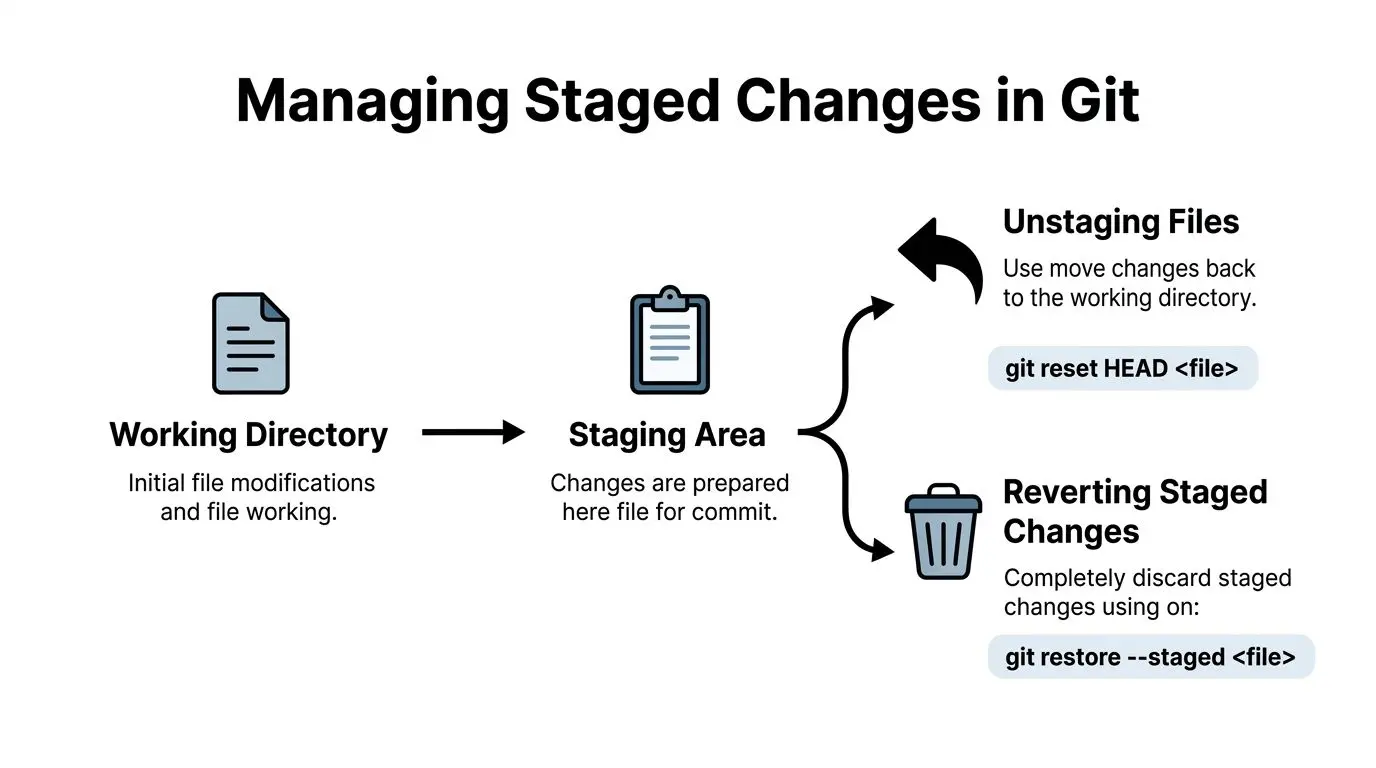
Start by separating two decisions
The staging area is a review buffer. Treat it that way.
git add says, “include this in the next commit.” It does not mean, “these file contents are final,” and it certainly does not mean, “delete anything I now regret.” Teams that separate those choices produce cleaner commits and recover faster when someone stages the wrong file under pressure.
For modern Git, the clearest first step is:
git restore --staged logs/debug.logThis removes the file from the index and keeps the working copy untouched.
That is often enough. If the file still has local value, stop there.
If the file should disappear completely
Sometimes the staged file is pure noise. A debug log, build output, or a temporary export should not stay in the commit or on disk. In that case, use the second command only after confirming the file is safe to discard.
git restore --staged logs/debug.log
git restore logs/debug.log
The first command changes what will be committed. The second overwrites the local file to match HEAD.
That distinction matters in business-critical repos. Unstaging is usually low risk. Restoring the file content is destructive.
The older workflow still works
Many teams still use the older pair of commands:
git reset HEAD <filename>
git checkout, <filename>
For example:
git reset HEAD logs/debug.log
git checkout, logs/debug.log
This remains valid on many systems, but it is easier to misuse because the second command discards local content immediately. git restore makes intent clearer, and that is why I recommend it for teams that want fewer avoidable mistakes.
Operational advice: If there is any doubt about whether the file contains useful work, stop after unstaging. Removing a file from the next commit is a smaller decision than erasing its contents.
A practical decision path
Use this quick rule set when a staged file should not be there:
| Situation | Command | Outcome |
|---|---|---|
| Wrongly staged, but local edits may still matter | git restore --staged <file> | Removes from index, keeps local changes |
| Wrongly staged, and local edits should be discarded too | git restore --staged <file> then git restore <file> | Removes from index, resets file to HEAD |
| Unsure whether the work may be needed later | git stash push -m "pre-discard backup" before restoring | Saves a recoverable copy before overwrite |
That last option is not about ceremony. It is a safety checkpoint for uncertain calls, especially when the file was edited during debugging and no one has confirmed whether part of the change should survive.
Example: cleaning up after git add .
Suppose git add . captured both a valid code change and a log file you do not want.
Run:
git status
git restore --staged logs/debug.log
git restore logs/debug.log
Then fix the recurring cause if needed:
echo "*.log" >> .gitignore
git add .gitignore
A one-time cleanup solves the immediate problem. An ignore rule prevents the same mistake from showing up in the next patch cycle.
Team-level risk to watch
Poor staging habits create mixed commits. Mixed commits slow review, complicate rollback, and make audits harder because unrelated changes travel together.
Senior teams usually avoid three patterns:
- Using
git add .without checkinggit statusafterward - Running an unstage command and a discard command as one reflex
- Allowing repeat offenders like logs, build artefacts, and export files to remain outside
.gitignore
The practical standard is simple. Identify whether the problem is in the index, the working tree, or both. Then use the narrowest command that returns the file to the right state with the least risk.
Scenario 3 Reverting Local Commits Not Yet Pushed
You commit a fix late in the day, run one more test, and realize the branch now contains the wrong timeout change, debug noise, and one valid improvement. At that point, the job is no longer file cleanup. It is choosing the least risky way to rewrite local history without losing work the team may still need tomorrow.
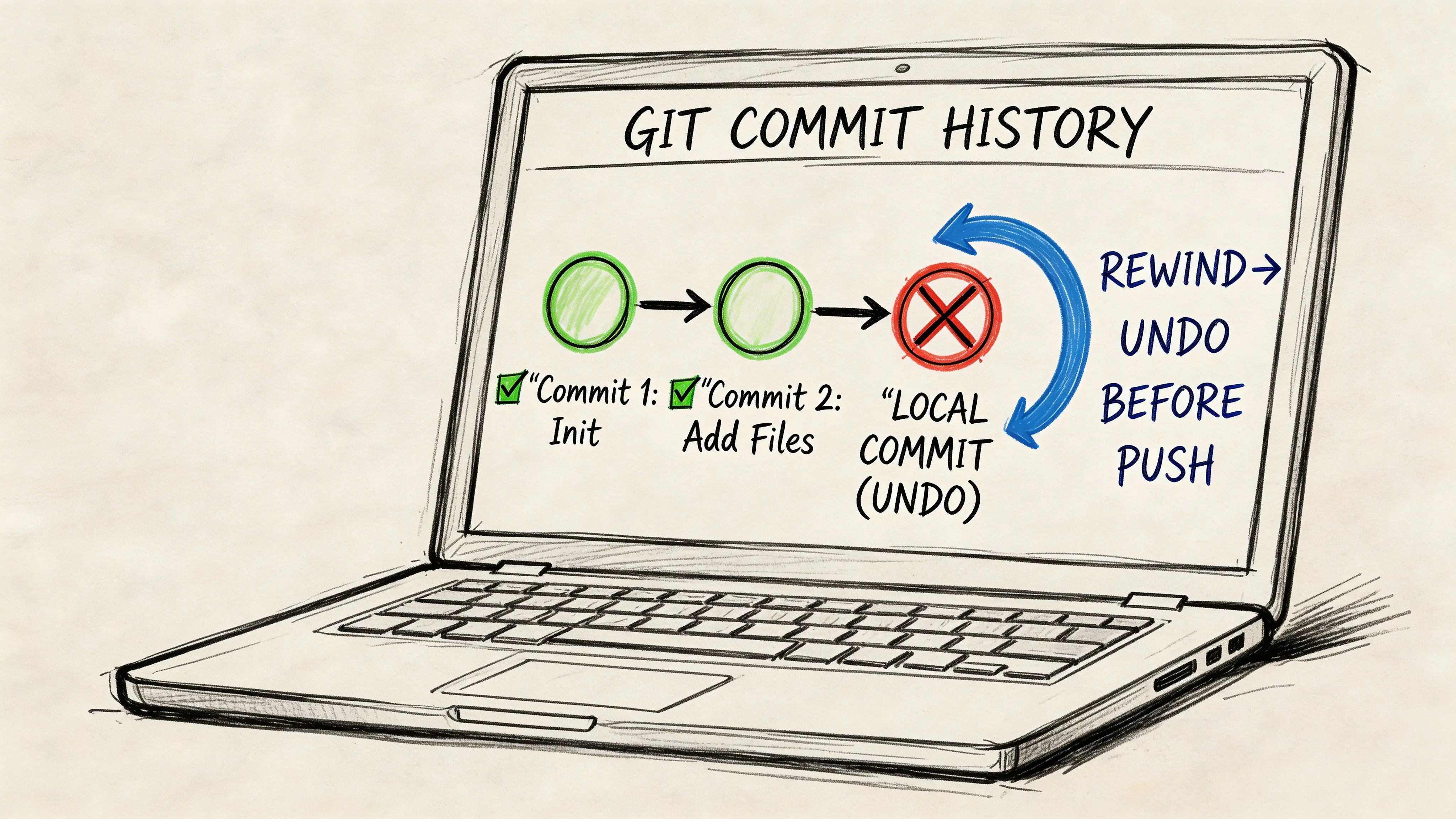
git reset is usually the right tool here, but the command name is not the decision. The decision is what must survive the reset: the commits, the code changes, or neither.
Start with the survival question
Before typing anything, answer this:
Should the code changes remain available after the commit is removed?
That one answer separates safe history cleanup from avoidable data loss. In delivery teams working on business-critical systems, I treat this as a release hygiene question, not a personal Git preference. A bad local reset can erase investigation work, test evidence, or a partial fix that still matters.
git reset --soft
Use --soft when the commit should disappear, but the changes are ready to stay staged for the next commit.
git reset --soft HEAD~1Use it when:
- the commit message is wrong
- several local commits should become one clean commit
- the code is correct, but the commit boundary is wrong
This is the lowest-friction rewrite because Git keeps the changes staged and ready to recommit.
git reset --mixed
Use --mixed when the commit should disappear and the code should stay, but you want to review or split the changes again.
git reset HEAD~1or explicitly:
git reset --mixed HEAD~1This moves HEAD back and leaves the file changes in your working directory, unstaged. In practice, this is the right default for local cleanup because it gives you one more inspection point before the next commit.
I use this when the code may be partly right but the commit was assembled poorly. That is common after debugging sessions, urgent patching, or broad edits made under time pressure.
git reset --hard
Use --hard only when the commit and the underlying file changes should both be removed from the current branch state.
git reset --hard HEAD~1Or to target a specific commit:
git log --oneline -10
git reset --hard abc1234
This is fast. It is also destructive.
On a private local branch, that may be acceptable if the intent is clear and the branch has not been pushed. On any branch another engineer may consume, history rewrites need more discipline. If you need to target an earlier point in history with more precision, this guide on reverting to a specific commit in Git covers the commit selection side in more detail.
Rewrite local history only when you are certain no other developer depends on it.
Choose the command by outcome
| If your goal is | Use | What Git keeps |
|---|---|---|
| Recommit the same changes immediately | git reset --soft <target> | Changes stay staged |
| Rework the changes before a new commit | git reset --mixed <target> | Changes stay in working directory |
| Remove the commits and the changes | git reset --hard <target> | Neither staged nor working changes remain |
This framing works well in teams because it maps the command to the delivery outcome. Engineers make fewer mistakes when they decide based on what must remain recoverable.
git reflog is the safety net
Even experienced developers choose the wrong reset mode sometimes. git reflog exists for that exact situation.
Run:
git reflogGit records recent HEAD movements, including resets, checkouts, and rebases. If you find the state you need, restore it with:
git reset --hard HEAD@{N}Replace N with the right reflog entry.
Recovery is often possible because the commit reference usually still exists in the reflog for a period of time. That does not make destructive resets safe by default. It means you have a fallback if you act quickly and know what state you are restoring.
A short visual explanation helps if you’re teaching this to a team or onboarding less experienced developers:
A realistic decision path
Assume a developer makes three local commits while debugging a billing integration:
- commit 1 adds useful validation
- commit 2 adds temporary tracing
- commit 3 changes timeout handling in the wrong direction
If the goal is to keep all the code but rebuild the commit history cleanly, git reset --mixed HEAD~3 is usually the safer choice. The changes remain in the working tree, and the developer can separate valid work from debugging noise before recommitting.
If the goal is to keep only commit 1 and throw away commits 2 and 3, git reset --hard <commit-1> can be correct. Use it only after confirming those later commits were never pushed and no one else needs them for analysis.
This embodies the discipline for local commit reversion: decide what must survive, confirm whether the branch is still private, and choose the narrowest reset that gets you back to a clean state.
Advanced Reversion Scenarios and Safety Protocols
A release branch is green in CI, but one engineer’s local environment still fails because generated files, partial resets, and a secondary worktree have left the branch in a state nobody can reproduce. That is the point where local cleanup stops being a personal preference issue and becomes an operational risk.
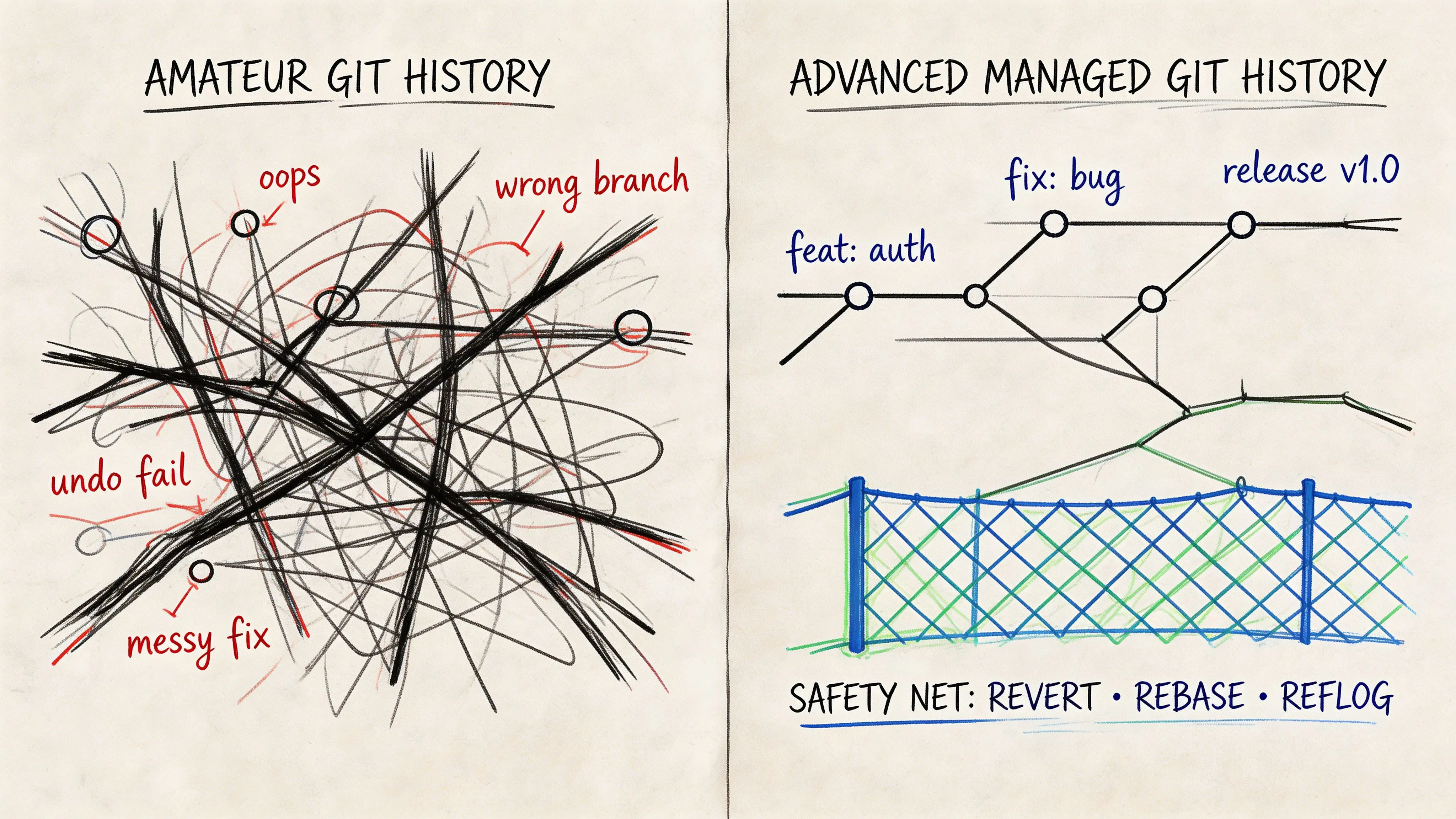
The practical rule is simple. Match the command to the kind of state you are correcting, then add a safety check before anything destructive. Teams shipping business-critical software need repeatable habits here, especially in repos that generate build output, use worktrees, or carry long-lived release branches.
git clean for untracked files
git restore and git reset only deal with tracked content. They do not remove untracked files or directories, which is often a primary source of confusion after local test runs, asset generation, or framework builds.
Use:
git clean -fdPreview first:
git clean -fdnThat dry run should be team policy, not an optional extra. Untracked files are often disposable, but not always. I regularly see local SQL dumps, debug scripts, exported fixtures, and incident evidence sitting outside version control. A blind git clean -fd removes all of it.
If the repo also ignores build output, check whether you are about to remove ignored files too. In that case, teams sometimes reach for git clean -fdx, which is more destructive and easier to misuse.
git stash before destructive work
Use stash when the decision is still fuzzy.
git stash push -m "backup"This works well before broad file restores, hard resets, or cleanup in a noisy working tree. It gives the developer a checkpoint while they decide what belongs in the final branch and what should disappear.
Stash has limits. It should not replace small, disciplined commits on a private branch. It is a short-term safety measure for uncertain state, not a durable record of intent.
Use it immediately in three cases:
- Before broad discards: when multiple files are about to be restored or deleted
- Before
git reset --hard: when local commits may still contain useful investigation work - Before mixed cleanup: when generated files, staged edits, and manual changes are all present together
Worktrees require extra branch discipline
Git worktrees change the failure mode. A revert in one worktree can be technically correct and still create confusion because the repository metadata is shared while each checkout presents a different branch context.
The risk is usually procedural, not magical. An engineer resets a branch in one worktree, assumes another worktree is unaffected, then discovers the branch pointer moved and local expectations no longer match CI, review comments, or release notes.
A safe worktree protocol includes:
- Branch verification: confirm the current branch before any reset, restore, or clean operation
- Per-worktree status checks: run
git statusin the worktree you changed and in any sibling worktree tied to the same effort - Post-revert validation: rebuild or rerun the narrowest relevant test path before treating the local state as clean
Teams that use worktrees for hotfixes and release prep should document these checks the same way they document deploy steps.
Never repair shared history with reset
git reset is for private history. Once a commit is on a shared branch, the safer repair path is:
git revert <commit-hash>That preserves the audit trail and avoids forcing other developers to reconcile rewritten history. It also fits environments where traceability matters for incident review, change approval, or regulated delivery.
For teams that still blur the line between local cleanup and shared-branch correction, this guide on GitHub revert to previous commit is a useful reference for history-preserving workflows.
A compact safety policy for teams
A team policy should fit on one screen and be easy to enforce in code review:
| Situation | Team-safe habit |
|---|---|
| Unsure whether local work still has value | Stash before deleting or resetting |
| Removing untracked files | Run git clean -fdn before git clean -fd |
| Reverting private local history | Choose the least destructive reset mode that solves the problem |
| Undoing a commit already shared | Use git revert, preserve history |
The goal is not caution for its own sake. The goal is fast recovery without accidental data loss, branch confusion, or preventable delivery delays.
Conclusion Building a Resilient Local Workflow
A bad revert decision usually starts with a rushed diagnosis. An engineer sees a broken local state, reaches for the first familiar command, and turns a small cleanup task into lost work, a confusing branch, or a delayed handoff. The fix is straightforward. Identify where the unwanted change lives first, then choose the narrowest command that solves that specific problem.
That decision order matters in professional teams. Unstaged edits call for file or directory restoration. Staged changes require a separate decision about the index before you decide whether to discard the underlying edits. Local commits that have not been pushed call for reset, but only after you decide what must survive in the working tree. Shared history requires revert because preserving auditability matters more than convenience.
For file-level cleanup, modern teams should standardize on git restore. Legacy repos and older runbooks may still use git checkout, <file>, but that syntax is easier to misuse because checkout also switches branches. Clearer commands reduce avoidable mistakes, especially during incident response or release preparation.
This is a workflow discipline issue as much as a Git skills issue. Teams that handle local reversions well keep branch history cleaner, reduce review noise, and spend less time recovering from self-inflicted errors. Engineers can test an idea, back it out safely, and return to shipping without turning local cleanup into a coordination problem.
Undoing local work is normal. What separates stable teams from error-prone ones is not whether reversions happen, but whether people choose commands deliberately, understand what each command destroys, and build small safety checks into daily work.
A resilient local workflow gives the team speed without careless data loss. That is how you keep code integrity high and delivery risk low.
Frequently Asked Questions
What’s the difference between git reset and git revert
git reset rewrites local branch history by moving HEAD to another commit. Depending on the mode, it may also keep or discard staged and working-directory changes.
git revert does something different. It creates a new commit that undoes an earlier commit while preserving the existing history. That’s why revert is the safer option on shared branches.
Use reset for local private history. Use revert for public collaborative history.
Should I use git restore or git checkout, <file>
For file-level reverts, prefer git restore in modern workflows because the intent is clearer.
git checkout, <file> still works and remains common in older repositories, scripts, and internal docs. The problem is that checkout is overloaded. It can switch branches as well as restore files, which makes it easier for less experienced developers to misuse.
If your team wants clearer operational language, standardise on git restore.
Can I recover from an accidental git reset --hard
Sometimes, yes.
The first command to try is:
git reflogThat shows recent HEAD movements. If the previous commit state still appears there, you can usually reset back to it.
git reset --hard HEAD@{N}Replace N with the correct reflog entry. Recovery isn’t guaranteed in every situation, but reflog is the first place to look.
Is git clean dangerous
Yes. It can permanently remove untracked files and directories.
That’s why the safe habit is to preview first:
git clean -fdnThen, only if the list looks correct:
git clean -fdTreat git clean as a repository hygiene tool, not a casual convenience command.
What should a team standardise
A workable team convention usually looks like this:
- For unstaged edits:
git statusthengit restore - For staged mistakes: unstage first, discard second
- For local commits: choose
--soft,--mixed, or--hardbased on intent - For shared branches: use
git revert - For uncertainty: stash before destructive operations
Those small conventions reduce confusion more effectively than adding more Git theory to onboarding slides.
If your team is building a SaaS platform, internal dashboard, or AI-enabled system and wants a cleaner engineering workflow around release integrity, branch discipline, and maintainable delivery, Devisia helps organisations design software systems that stay reliable as complexity grows.